Outdoor LED Display Waterproofing and What IP65 Means
Published 2026-08-18 · Updated 2026-09-22 · By Arclumin Team
IP65 describes specific enclosure protection against dust and water jets. Learn how to evaluate the complete outdoor LED installation, including seals, cables, moisture, and maintenance.
Outdoor LED display waterproofing starts with the complete installation, not a label on a module. Rain, wet cables, damaged seals, and moisture inside the enclosure can interrupt a screen that otherwise delivers a bright, clear picture. The right protection plan considers where water can reach the equipment and how the screen will be installed, opened, cleaned, and maintained.
IP65 is a useful specification when evaluating an outdoor display, but it is not a promise of unlimited waterproofing. Buyers need to understand what the two digits mean and which parts of the supplied system the rating covers. This guide explains how to turn an IP rating into practical questions for an outdoor LED project.
Why Water Protection Matters Outdoors
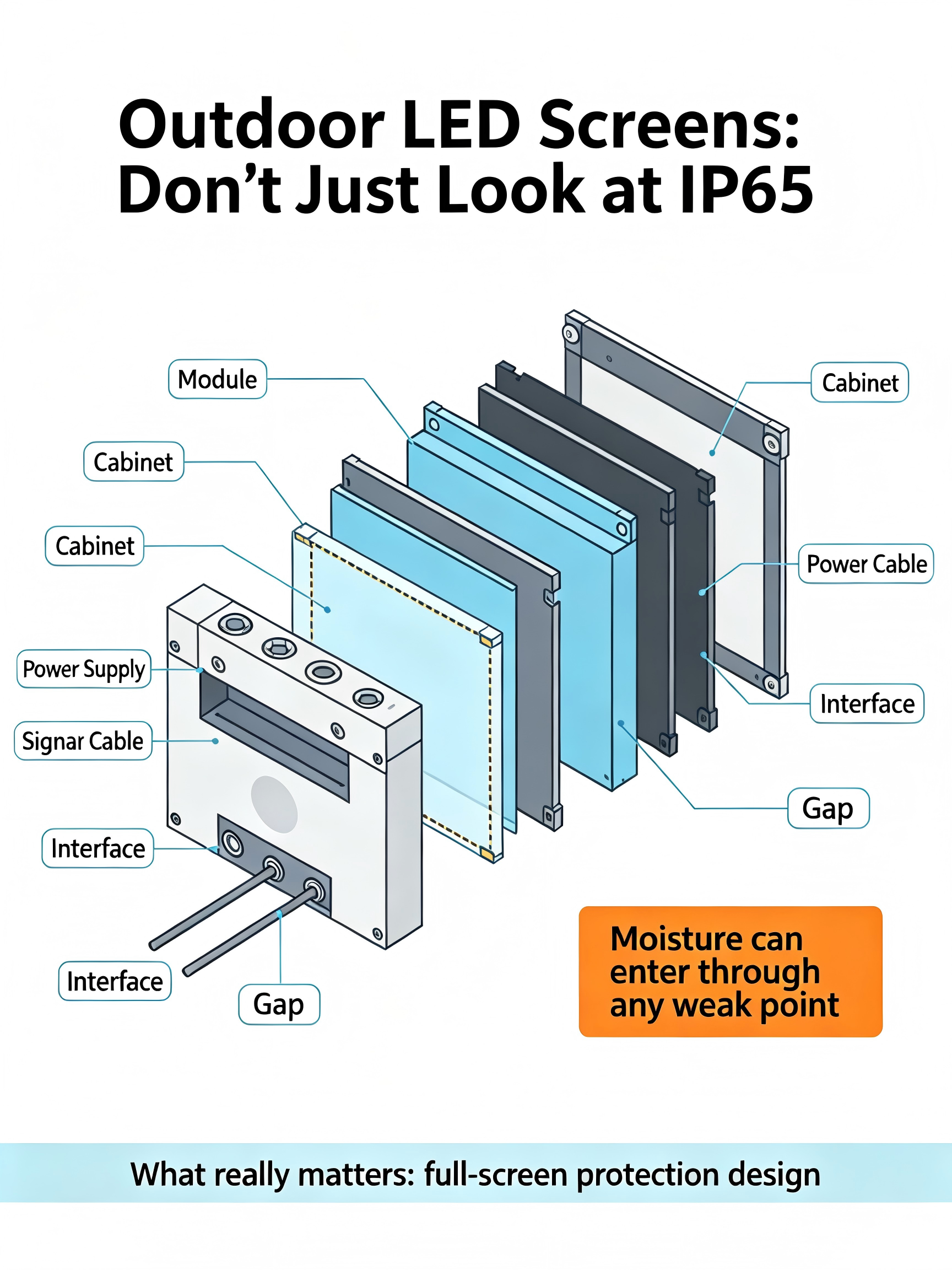
Rain can reach a display from several directions, especially around exposed building corners or freestanding structures. Module edges, cabinet doors, cable entries, and connector covers all deserve attention. A small opening can become a repeated route for water, even when the main viewing surface appears well protected.
Moisture can also be present without visible rain entering the cabinet. Condensation can form when a surface falls below the dew point of the surrounding air. The installation therefore needs an environmental plan that addresses temperature changes, humidity, and ventilation or moisture control appropriate to the chosen equipment.
Coastal salt, airborne contamination, and deposits around joints create additional maintenance demands. Their effect depends on the location, materials, and protective design; a single IP number does not describe resistance to every outdoor condition. Avoid promises that a screen will last a fixed number of rainy seasons without supporting project evidence.
What the Two Digits in IP65 Mean
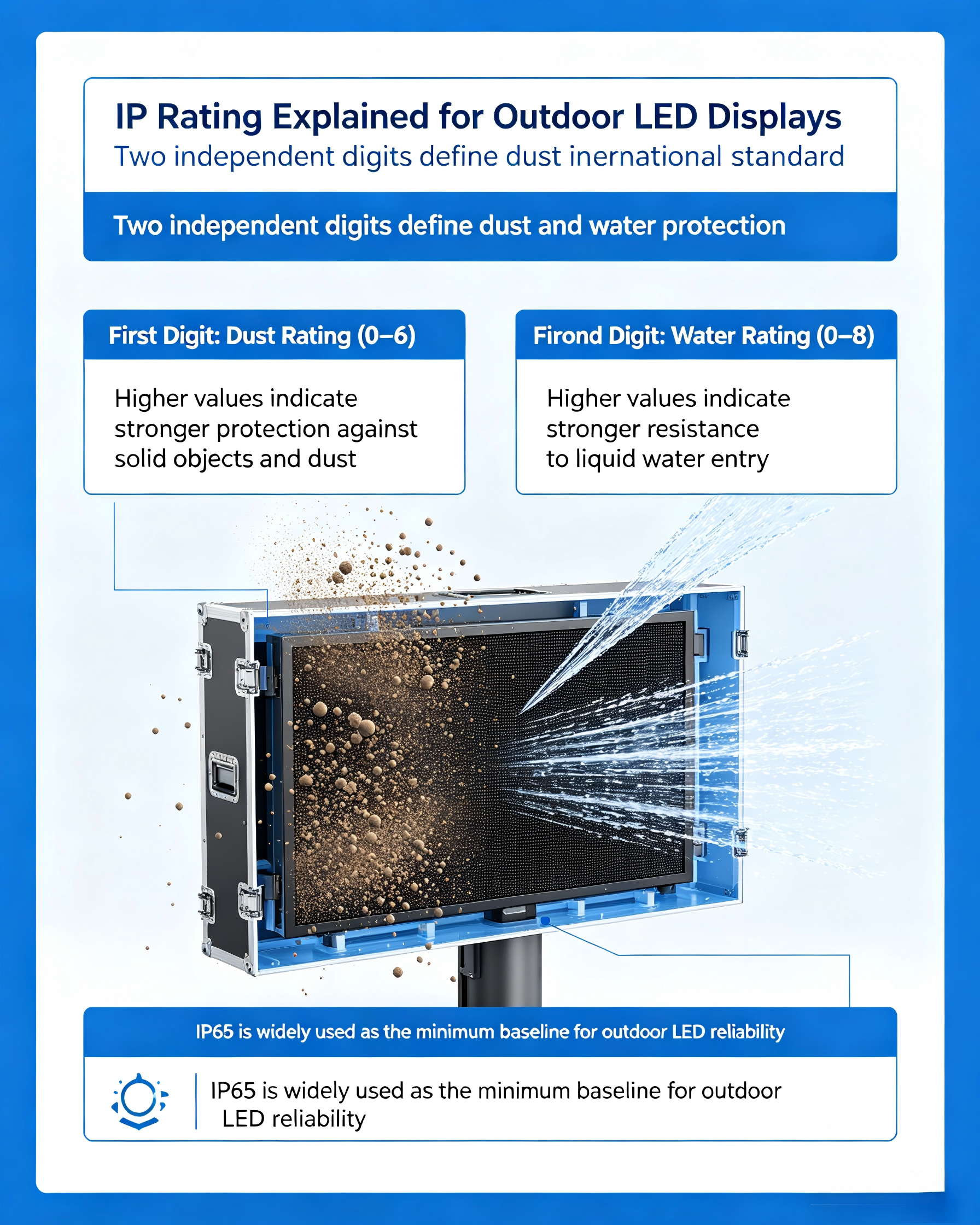
The IP code in IEC 60529 describes protection provided by an enclosure. Its first digit addresses access to hazardous parts and ingress of solid foreign objects, while the second addresses water ingress. For buyers comparing outdoor LED screens, the key point is that dust protection and water protection are separate characteristics.
In IP65, the digit 6 means dust-tight protection under the specified test conditions. The digit 5 means protection against water jets from different directions under defined test conditions, without harmful effects. The rating should be supported by documentation that identifies the tested enclosure and configuration.
IP65 does not establish protection for immersion, hot-water cleaning, or unrestricted pressure washing. It also does not measure corrosion resistance, ultraviolet durability, or condensation control. Treat each additional exposure as a separate design requirement rather than assuming that a higher-sounding rating answers every question.
Check What the Rating Actually Covers
Ask whether the stated protection applies to the front face, rear enclosure, complete cabinet, or individual module. These descriptions are not interchangeable. A protected module face does not prove that an exposed power connection behind the cabinet has the same rating.
Request the model identification and relevant test report or specification before approving the order. Check whether doors must be closed, plugs fitted, and connectors fully mated for the rating to apply. The installation should preserve those conditions during operation and after maintenance.
For permanent outdoor signage, explore the SF Sun Flare outdoor fixed LED series. Confirm the exact cabinet configuration, service direction, and protection scope in the project quotation. A series overview is a starting point for selection, while the agreed configuration determines what will be delivered.
Design the Whole Installation for Rain
Review the path water could take from the top of the structure to every electrical connection. Mounting details should avoid directing runoff into openings or trapping water around the equipment. Cable routes and entries need to follow the manufacturer’s installation instructions and the approved site design.
Maintenance access is part of that design. A rear service door that cannot be opened safely, or a front module that must be removed in exposed rain, can complicate routine repairs. Discuss access space and weather protection before the supporting structure is built.
Arclumin’s Outdoor Advertising & DOOH solutions provide a relevant starting point for roadside signs, building displays, and other fixed advertising projects. Share photographs of the surroundings as well as screen dimensions. Nearby drainage, roof edges, and the direction of prevailing weather can matter as much as the display area.
Set a Suitable Cleaning and Inspection Routine
Do not interpret IP65 as permission to clean a powered display with a hose. Use the cleaning method approved for the specific screen, including any restrictions on pressure, chemicals, tools, and electrical isolation. A method suitable for the front surface may be unsuitable for cabinet joints or connector areas.
Inspect seals, covers, cable entries, and drainage features at the intervals agreed for the site. Repeat the relevant checks after service work or severe weather. Photographs and a short inspection record help the maintenance team identify changes instead of relying on memory.
If water ingress is suspected, follow the site’s electrical safety procedure and have qualified personnel assess the equipment before it is returned to service. Drying the visible surface alone does not establish that the internal components are ready to operate. Record where water was found so the underlying route can be corrected.
Prepare the Right Information for a Quotation
Provide the installation location, screen dimensions, mounting arrangement, and intended operating schedule. Explain whether the rear of the screen is exposed, enclosed, or sheltered by a building. Include coastal exposure, unusual humidity, nearby water sources, and any planned cleaning practice.
Ask the supplier to describe the complete protection approach and provide the documents needed for installation and maintenance. Relevant supporting material can be found through the Arclumin Downloads Center, with project-specific requirements confirmed before approval. The operating team should receive instructions for restoring seals and covers after replacing components.
A dependable outdoor screen combines an appropriate enclosure rating with sound installation and continued maintenance. IP65 helps define one part of that specification, but it cannot replace a review of the actual environment. Choose the screen and protective arrangement together so the finished installation matches the conditions it will face.
For project inquiries, please contact your dedicated Arclumin Sales Consultant. Our team operates across time zones to support projects in Europe, North America, Africa, Australia, and markets worldwide.
WhatsApp +86 136 8235 1211 · 7×24 — we reply within 24 hours.

 SG Steady GlowIndoor Fixed LEDP1.25 – P4
 PL Pure LightIndoor Fixed LEDP1.25 – P1.86COB Fine Pitch LED→
 OG Obsidian GlowCOB Fine Pitch LEDP0.7 – P1.86View all product series →Not sure which series fits your project? Get a Recommendation →