Published 2026-11-10 · Updated 2026-11-21 · By Arclumin Team
An LED poster screen lets you change a welcome sign, promotion or direction without printing a new poster. Learn what to check before choosing one.
Think of it as a poster you can update
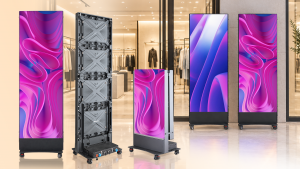
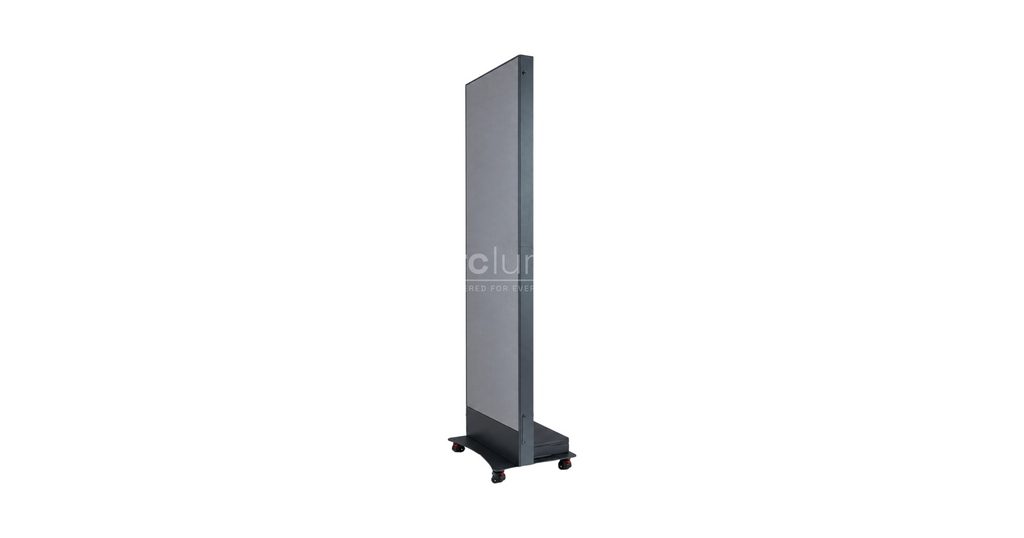
An LED poster screen is a display that often has a tall, narrow shape, like a poster you might put near an entrance. Instead of printing a new sheet every time the message changes, you load a new image or video. A shop might show a promotion in the morning, a hotel might use one for a welcome message, and an event might use one to point guests towards a registration desk.
The name describes how people use the display more than it describes one exact build. Some models are made to stand on the floor, while others use a different support or mounting arrangement. Some can fold for transport, and some do not. Ask how the particular model is supported and moved before assuming it will work the way another poster screen does.
Arclumin LED poster screen.
Give it one job at a time
A poster screen is useful when a person can understand its message while walking past. If you want people to find a room, give the room name and a clear arrow enough space. If you want them to notice a product, show one product clearly before adding several lines of detail. Start with the one thing you want a passer-by to remember and design around that.
Most content prepared for a laptop presentation starts out wide, and simply stretching it to fill a tall screen can make people and text look odd. Prepare a portrait layout when the screen is vertical, and ask for the actual pixel dimensions before you export the final file. Look at the result from where visitors normally walk or stand, since a design that looks comfortable on your phone can still be hard to read across a lobby.
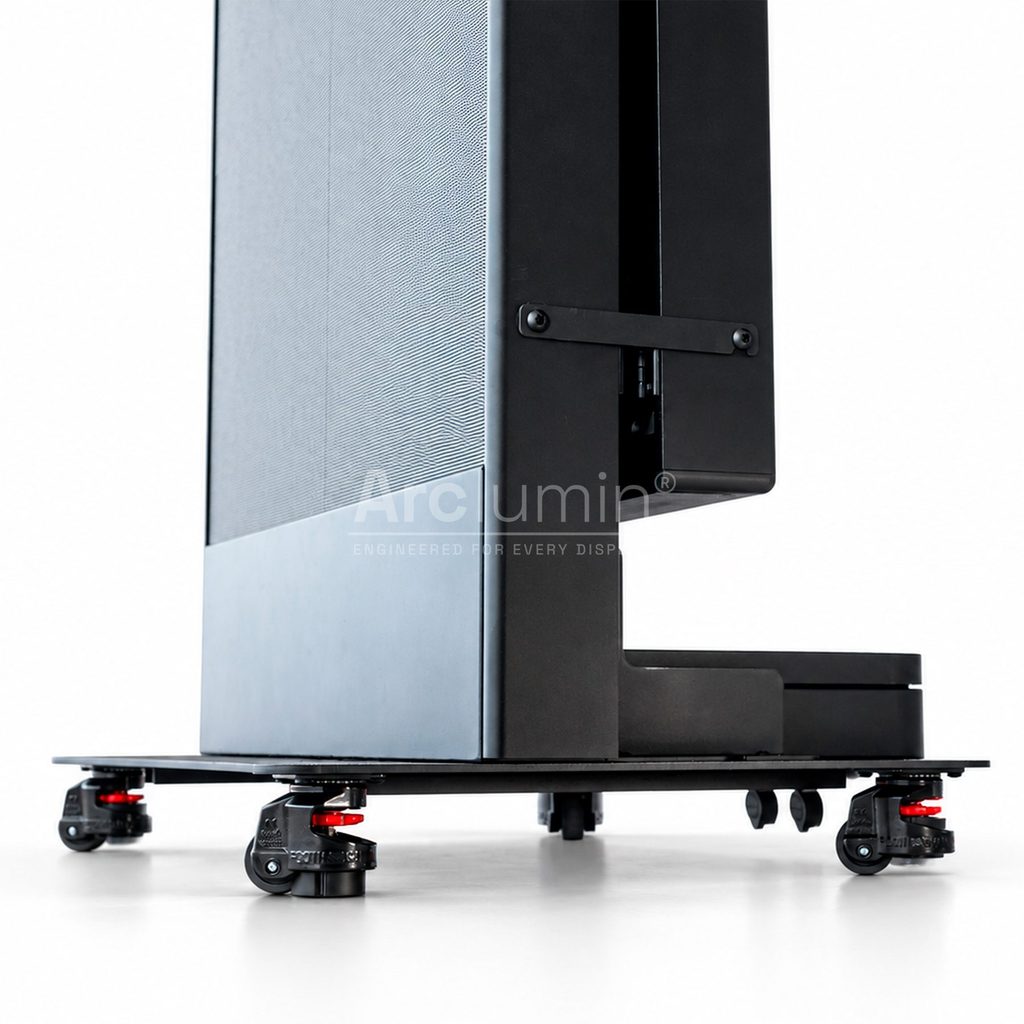
Poster screen base and wheels.
Check where the screen will stand
An indoor entrance, a bright shop window and a space exposed to rain are different locations. Look at the light during normal opening hours, where people approach from, and whether the display or its cables would obstruct a walkway. If the site is outdoors, confirm that the exact model and installation are suitable for that exposure. An upright shape or a sturdy base tells you very little about whether a display belongs outside.
The WG Welcome Glow series includes different poster formats for indoor and outdoor applications. Look at the individual options rather than choosing by the product photo alone. Ask how the screen stands, how it is secured where needed, how it gets power, and whether it can be moved through your doors. Those questions are especially useful if you plan to store it away after an event.
Decide who will change the content
A screen is only useful if someone can keep its messages up to date. Before buying, ask to see an ordinary update from start to finish, using a file similar to the ones your team actually creates. Find out whether updates happen at the screen or from another device, what connection is needed, and who should have access. A short demonstration is often easier to understand than a list of playback features.
Try one small change yourself if possible, such as replacing a welcome image with an event schedule. Check what the screen shows after the update and whether yesterday’s file is still in the playlist. For a shop with several staff members, it helps to agree who can upload files and who checks the final result. That way an expired offer is less likely to stay on the screen by mistake.
See it from a visitor’s point of view
A sample does not have to be a polished advertisement. A rough welcome graphic, a simple arrow or the name of a product is enough to try the idea. Show that file on the display and walk towards it the way a visitor would. Notice which words you can read first, whether the picture distracts from the message and whether the screen is facing the right direction.
If the screen will rotate several messages, watch a full loop. A customer who arrives halfway through may miss the first message entirely, so each slide should still make sense on its own. If a slide needs a long explanation to be useful, try splitting it up or moving the extra detail to a brochure, menu or webpage that visitors can read at their own pace.
Finally, think about the ordinary day, not just the opening event. Where will the screen stand when the queue gets longer, and who will replace the file if the time or venue changes? A display that fits the daily routine is much easier to keep useful.
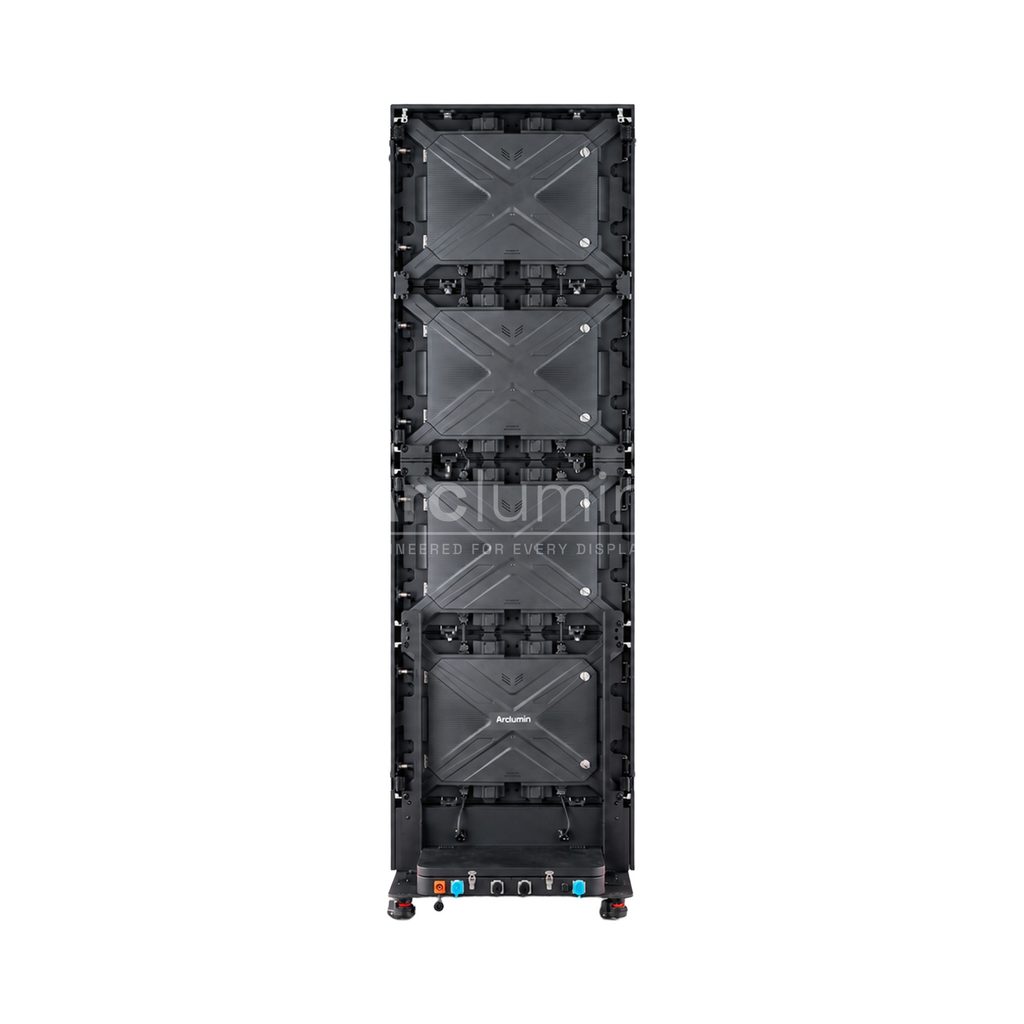
Rear view of an LED poster screen.
Start with the message you need to show
A poster screen makes sense when the message changes often or when moving images are useful. If a sign will sit in the same spot for months with exactly the same message, a printed sign may already do the job. If the audience needs to follow a wide presentation from across a room, a narrow poster may be the wrong shape. Think about the message, the location and the people reading it before deciding which format to use.
If you are comparing models, take a photo of the proposed spot and prepare one sample image or video. Add the time of day you expect to use the screen and whether it will need to move. Send those details to Arclumin for help narrowing down the poster format and playback options that suit the job.
For project inquiries, please contact your dedicated Arclumin Sales Consultant. Our team operates across time zones to support projects in Europe, North America, Africa, Australia, and markets worldwide.
WhatsApp +86 136 8235 1211 · 7×24 — we reply within 24 hours.

 SG Steady GlowIndoor Fixed LEDP1.25 – P4
 PL Pure LightIndoor Fixed LEDP1.25 – P1.86COB Fine Pitch LED→
 OG Obsidian GlowCOB Fine Pitch LEDP0.7 – P1.86View all product series →Not sure which series fits your project? Get a Recommendation →