Published 2026-10-02 · Updated 2026-09-30 · By Arclumin Team
LED display grayscale affects tonal transitions and shadow detail. Learn what bit depth means and how to compare performance at your operating brightness.
What Grayscale Means for an LED Display
LED display grayscale describes how finely the system can control brightness between dark and bright. More available steps can help reproduce smooth skies, faces, and shadow details. However, a higher bit-depth number on a quotation does not, by itself, guarantee a better-looking screen.
For a beginner, the most useful question is whether the complete display reproduces your content smoothly at the brightness you will actually use. This guide explains the numbers, the limits behind them, and a practical way to compare screens. Start with the signal chain and finish with a demonstration rather than choosing by one specification.
How Bit Depth Becomes a Number of Levels
A binary value with n bits can represent 2 to the power of n different codes. Eight bits provide 256 codes, 10 bits provide 1,024, 12 bits provide 4,096, 14 bits provide 16,384, and 16 bits provide 65,536. These are mathematical code counts, not a guarantee that every step will be visibly distinct on a particular LED screen.
In an RGB display, brightness is controlled for red, green, and blue. When a specification gives a per-channel bit depth, its level count applies to each channel rather than to the total number of colours. For example, full-range 8-bit RGB has 256 possible codes per channel and 16,777,216 possible code combinations.
Those combinations are not the same as accurately reproduced or perceptually distinguishable colours. Video range conventions can also reserve or restrict code values. Ask the supplier what a quoted bit-depth figure refers to before comparing it with another quotation.
Why Smooth Transitions Matter
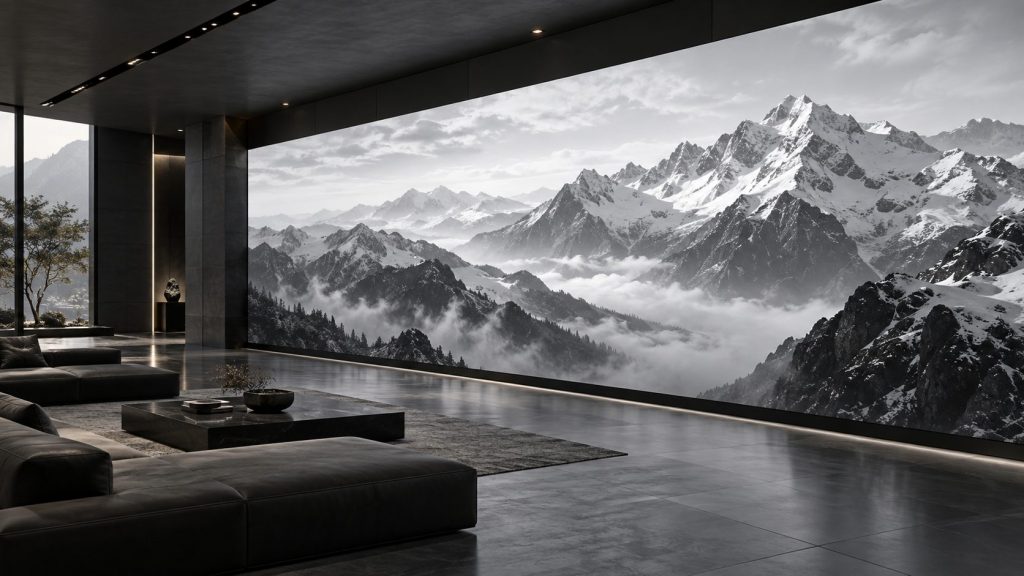
Imagine a sky changing gradually from a bright horizon to a darker blue. If too few usable tonal steps remain in the image path, that change may appear as separate bands. Faces, studio backgrounds, mist, and dark scenes can make abrupt transitions particularly noticeable.
More precision can reduce quantisation steps, but banding is not proof that the LED driver has too few bits. The original file, compression, processing, or output settings may already contain those steps. A screen cannot reliably reconstruct scene detail that the source never captured.
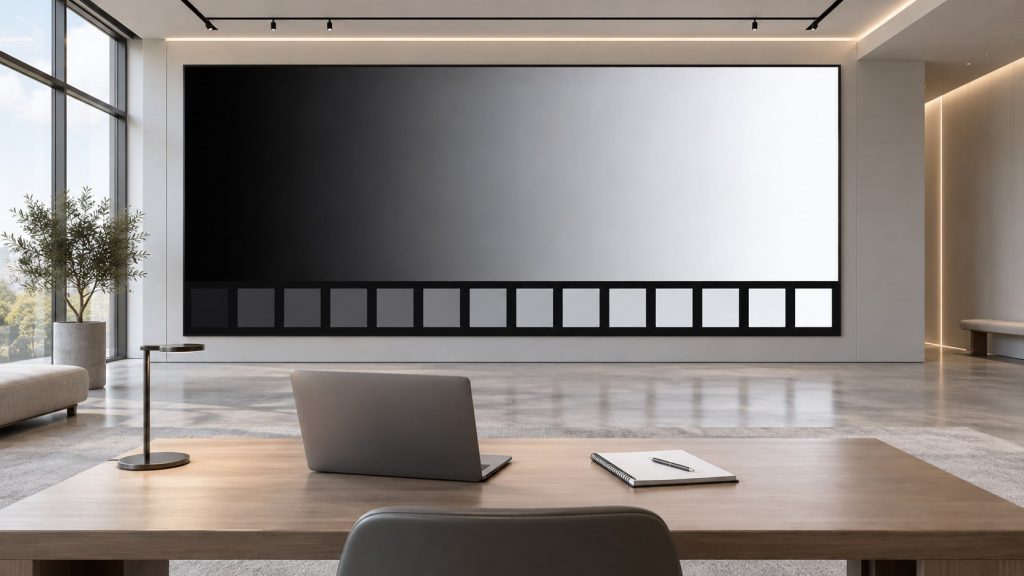
The comparison image below is a conceptual illustration of tonal stepping. It is not a measured comparison between two bit depths or two Arclumin products. Use appropriate test material and the actual display when making a purchasing decision.
Separate Source Depth from Processing and LED Drive
A signal passes through several stages: the source file, playback output, video processing, receiving system, and LED drivers. These stages can use different precision. A specification for internal processing or LED drive should not be read as a promise that the screen accepts a video input with the same bit depth.
For example, an 8-bit source can be processed in a higher-precision pipeline. That extra precision can help with calculations such as colour adjustment, but it does not turn the source into genuinely captured 10-bit footage. Conversely, a higher-bit-depth file still needs compatible playback and signal equipment to preserve its information.
Ask for separate statements of supported input formats, processing precision, and output or driver grayscale capability. Also ask whether a quoted figure describes native precision or an effective result using techniques such as dithering. Dithering can make transitions appear smoother, but it should be assessed under the intended viewing and camera conditions.
Check Grayscale at the Brightness You Will Use
An indoor screen is often operated below its maximum brightness. The ability to retain small changes near black at that setting matters more than a demonstration that looks impressive only at full output. Look for lost shadow detail, sudden jumps between dark tones, and unwanted colour tint in neutral gray areas.
Many LED systems control light using pulse-width modulation, or PWM, which varies the time LEDs emit light. Driver design, scan configuration, timing, and brightness-control methods influence how accurately small light levels can be produced. There is no universal rule that a stated grayscale depth will remain equally usable at every dimming setting.
For corporate and control room installations, evaluate the screen under the room lighting and viewing conditions planned for daily use. Record those conditions with the demonstration results. Do not treat the brightness slider percentage as a measured luminance value.
Keep Grayscale Separate from Other Specifications
Brightness describes light output, commonly expressed in candelas per square metre, also called nits. Grayscale precision describes the available tonal steps. A brighter display is therefore not automatically a display with finer grayscale.
Contrast concerns the relationship between light and dark, and room reflections can affect what the viewer sees. Refresh rate concerns display timing, while pixel pitch describes pixel spacing. None of these values can replace a grayscale assessment, even though all contribute to the final image.
Gamma or another transfer function describes how signal values relate to light levels; equal code increments do not necessarily mean equal light increments. HDR adds further requirements involving the content, supported signal formats, processing, and display capability. A 16-bit driver claim alone is not evidence of complete HDR performance.
Review Configuration Without Chasing the Largest Number
Grayscale, refresh, and other performance settings can interact, depending on the receiving card and driver. On compatible NovaStar systems, the NovaLCT configuration manual describes grayscale and performance parameters. Use it with the instructions for the exact hardware rather than transferring settings from an unrelated screen.
The NovaLCT Windows software download is available in Arclumin support resources. Confirm software compatibility with the supplier before installation or configuration changes. Save an approved configuration first, and have the technician evaluate any change with the same content and brightness conditions.
Selecting the largest available grayscale value is not a complete optimisation procedure. Ask which operating conditions support the stated performance, including brightness and timing. Keep the agreed settings in the project records so later maintenance does not silently change the picture.
Compare Screens with a Repeatable Demonstration
Begin with a known-good grayscale ramp and a sequence of near-black patches, then add real content such as faces, skies, and dark scenes. Confirm the playback path is delivering the intended format. A compressed screenshot or an ordinary web image is not a reliable reference for verifying high-bit-depth performance.
Use the same source, operating brightness, room lighting, and viewing position for each comparison. Check whether transitions remain smooth, dark details remain visible, and neutral tones remain neutral across the screen. If the installation will be filmed, include the production camera and its planned settings in the evaluation.
When considering OG Obsidian Glow, request a demonstration of the actual configuration offered for your project. The series name or COB packaging does not establish a particular grayscale result. Obtain the applicable specification and acceptance conditions rather than assuming every model performs identically.
Choose a Grayscale Specification You Can Verify
There is no single bit-depth number that is the right purchase for every project. The useful choice depends on the content, operating brightness, room conditions, signal chain, and whether a camera is involved. Compare the visible result alongside the documented capabilities and cost.
Before ordering, agree on the source material, settings, viewing conditions, and checks used for acceptance. Share your content type, room lighting, and planned brightness with the Arclumin team to discuss a suitable display configuration and demonstration.
What Grayscale Means for an LED Display
LED display grayscale describes how finely the system can control brightness between dark and bright. More available steps can help reproduce smooth skies, faces, and shadow details. However, a higher bit-depth number on a quotation does not, by itself, guarantee a better-looking screen.
For a beginner, the most useful question is whether the complete display reproduces your content smoothly at the brightness you will actually use. This guide explains the numbers, the limits behind them, and a practical way to compare screens. Start with the signal chain and finish with a demonstration rather than choosing by one specification.
For project inquiries, please contact your dedicated Arclumin Sales Consultant. Our team operates across time zones to support projects in Europe, North America, Africa, Australia, and markets worldwide.
WhatsApp +86 136 8235 1211 · 7×24 — we reply within 24 hours.

 SG Steady GlowIndoor Fixed LEDP1.25 – P4
 PL Pure LightIndoor Fixed LEDP1.25 – P1.86COB Fine Pitch LED→
 OG Obsidian GlowCOB Fine Pitch LEDP0.7 – P1.86View all product series →Not sure which series fits your project? Get a Recommendation →